Smart Lighting Systems: A Complete Guide for Your Home
Learn how smart lighting systems work, which brands are worth buying, and how to set up automated lighting scenes that save energy and add comfort.
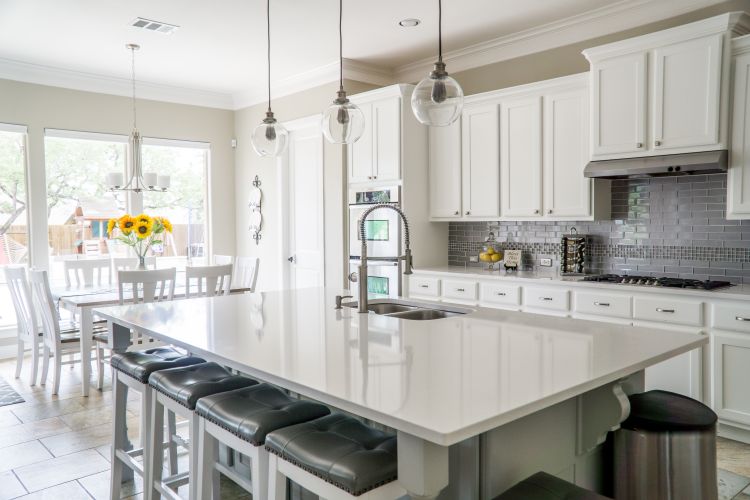
Smart lighting systems are one of the easiest upgrades you can make to your home. They’re affordable to start, simple to install, and deliver immediate, visible results. Whether you want to set the mood for movie night, cut your electric bill, or never fumble for a light switch again, smart lights can do it all.
This guide covers how smart lighting systems work, the major platforms to consider, and practical tips for getting the most out of your setup.
How Smart Lighting Systems Work
At the core, smart lighting replaces standard bulbs or switches with hardware that connects to your home network — usually over Wi-Fi, Zigbee, or Z-Wave. Once connected, you control lights through an app, voice commands, automations, or schedules.
There are two main approaches:
- Smart bulbs: Screw into existing fixtures. Great for renters or anyone who wants to start small.
- Smart switches: Replace the switch on the wall and work with any bulb. Better for whole-room or whole-home setups.
Each has trade-offs. Smart bulbs give you color and tunable white light; smart switches are invisible once installed and work even when someone flips the physical switch.
Communication Protocols
Most smart lighting systems use one of three wireless protocols:
- Wi-Fi: No hub required. Easy to set up. Can slow your network if you have dozens of devices.
- Zigbee: Reliable, low-power mesh network. Requires a hub (like a Philips Hue Bridge or Amazon Echo with Zigbee built in).
- Z-Wave: Similar to Zigbee, strong interference resistance, also needs a hub.
Matter, the newer universal standard, is gaining traction fast. If you’re buying in 2025, look for Matter-compatible devices so they’ll work across Apple Home, Google Home, Amazon Alexa, and SmartThings without headaches.
Top Smart Lighting Brands
Philips Hue
The gold standard. Philips Hue bulbs offer rich color, reliable performance, and the widest accessory ecosystem on the market. The Hue Bridge connects up to 50 bulbs and enables features like geofencing and advanced automations. Pricey, but worth it if you want a polished experience.
LIFX
LIFX bulbs connect directly over Wi-Fi — no hub needed. Colors are vivid and bright, often outperforming Hue. Response times can be slower than Zigbee-based systems, but for most users the difference is unnoticeable.
Lutron Caseta
If you want smart switches rather than bulbs, Lutron Caseta is the most reliable option available. It uses its own Clear Connect radio frequency, which rarely has interference issues. Works great with older wiring and doesn’t require a neutral wire in most cases — a common problem in Florida homes built before the 1990s.
Govee and Sengled
Budget-friendly options that punch above their weight. Great for accent lighting, LED strips, and secondary rooms where you don’t want to spend $20+ per bulb.
Setting Up Lighting Scenes and Automations
This is where smart lighting gets genuinely useful. Instead of manually adjusting lights, you set rules that run automatically.
Common automations worth setting up:
- Wake-up scene: Lights gradually brighten at 6:30 AM to a warm white, simulating sunrise.
- Movie mode: Living room dims to 20% and shifts to a warm amber tone when you start Netflix.
- Sunset routine: Outdoor and porch lights turn on automatically at local sunset — useful in Florida where sunset times shift significantly through the year.
- Away mode: Lights cycle randomly while you’re out of town to simulate occupancy.
- Good night: Single tap or voice command turns off every light in the house.
Most platforms — Google Home, Apple Home, Alexa, and SmartThings — support these through their native apps without needing any extra hardware.
Energy Savings with Smart Lighting
LED smart bulbs use 75–80% less energy than incandescent bulbs. Add smart scheduling on top, and you eliminate the lights-left-on problem entirely. For a typical Florida home running AC heavily in summer, lighting is one of the easier costs to bring down.
A few practical tips:
- Use occupancy sensors in bathrooms, closets, and hallways so lights turn off automatically.
- Set outdoor lights on a sunset-to-sunrise schedule rather than leaving them on all night.
- Enable energy monitoring in your app (available on some platforms) to see which rooms use the most power.
Compatibility With Smart Home Hubs
Smart lighting works best when it’s part of a broader smart home setup. Connecting your lights to a hub like GlanceClock, SmartThings, or Apple Home lets you build multi-device automations — for example, triggering your lights, thermostat, and door lock together when you arrive home.
When choosing a smart lighting system, check that it supports your existing hub or the platform you plan to build around. Most major brands now support Matter, which makes cross-platform compatibility much less of a headache than it used to be.
Where to Start
If you’re new to smart lighting systems, start with one room — the living room or bedroom is a natural first choice. Buy a starter kit (Philips Hue, LIFX, or Lutron Caseta all offer them), get comfortable with the app and automations, then expand from there.
Smart lighting systems scale well. You don’t need to wire your whole house at once. Start small, build habits around it, and add devices as you see the value firsthand.
Need Smart Home Installation in Florida?
Our certified technicians handle everything — from Apple HomeKit to Google Nest and full IoT setups.
Get a Free Quote